That customer who orders the same meal every single visit, never glances at the specials and walks out in under two minutes? You might think of them as low maintenance. But in reality, they could be your most overwhelmed customer.
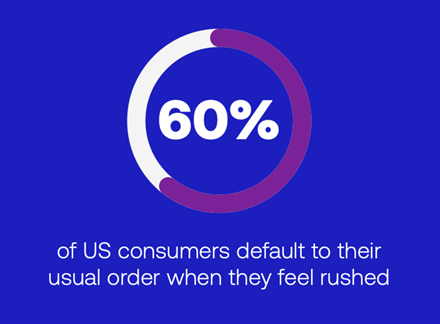
A whopping 60% of QSR consumers stick to a familiar order when the experience feels rushed or unclear.
Walk through your location during a lunch rush and do the math. How many of those transactions could have been a limited-time offer (LTO), an upgrade or a bundle?
The gap between what customers ordered and what they would have ordered in a frictionless experience is where “order anxiety” lives — and it shows up in your numbers whether or not you’re tracking it.
New research from Global Payments surveyed 2,000 US consumers about the quick-service restaurant (QSR) ordering experience. The findings make a clear case that order anxiety isn’t a customer satisfaction problem, but a revenue problem that operators actually do have the tools to solve.
How much is order anxiety actually costing your QSR?
The tough thing about safe ordering is that it shows up in your data as normal transactions, which is what makes it so dangerous. There’s no line item for “LTO the customer didn’t try” or “add-on they skipped because the line was backing up behind them.” More than 60% of respondents say they simplify their order frequently due to pressure at the point of ordering, which translates to fewer items, no add-ons and no customization.
Every customer who defaults to the usual instead of trying the new item, every customer who skips the upgrade because they don’t want to slow things down — that’s margin leaving the building transaction by transaction.
What to do: Pull your LTO attachment rate and customization frequency during peak hours. If those numbers drop when volume is high, that’s order anxiety compressing your ticket size in real time.
Why are customers so stressed at the counter in the first place?
The top sources of ordering stress aren’t hard to identify — too many options, confusing menus, long lines and staff asking too many follow-up questions about modifications.
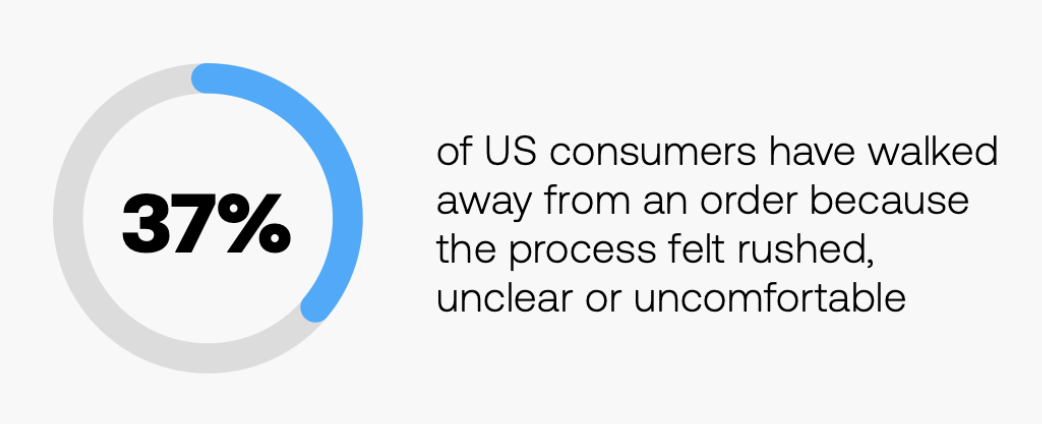
For a meaningful share of customers, the result isn’t just safe ordering but no ordering at all. Thirty-seven percent of US consumers have walked out of a QSR without buying anything because the experience felt rushed, unclear or uncomfortable. Put another way, they came in hungry, looked at the menu and left.
What to do: Put yourself in your customers’ shoes by walking through your ordering experience during a lunch rush. During this experiment, count how many decisions you’re asked to make before you get a total. That number is a direct input to abandonment.
Why are your highest volume channels also your most stressful — and what should operators do about it?
Drive-thru and counter ordering rank as the most stressful and rushed channels by a significant margin. Mobile and online are the least stressful because customers have time, control and no one watching them decide. That doesn’t mean the answer is to redirect volume away from the drive thru and counter. Those are still where the majority of QSR transactions happen — and that’s exactly why they deserve the most attention.
The real opportunity is reducing friction within those channels. Line busters are one of the most underused tools for this. Putting a team member with a tablet into the queue means customers are already mid-decision before they reach the counter; the time pressure is gone, the interaction is conversational and the order is more likely to reflect what they actually want. Kiosks do similar work for in-store traffic, removing the social pressure of ordering in front of staff while giving customers the time and privacy to explore options.
Shifting customers to lower stress channels is a lofty goal, but don’t forget to bring that lower stress experience into the channels they’re already using.
What to do: Map your highest abandonment and highest safe-order windows by channel. That’s where line busters, kiosk placement or ordering flow changes will have the most immediate impact.
How do digital menu boards directly impact check size?
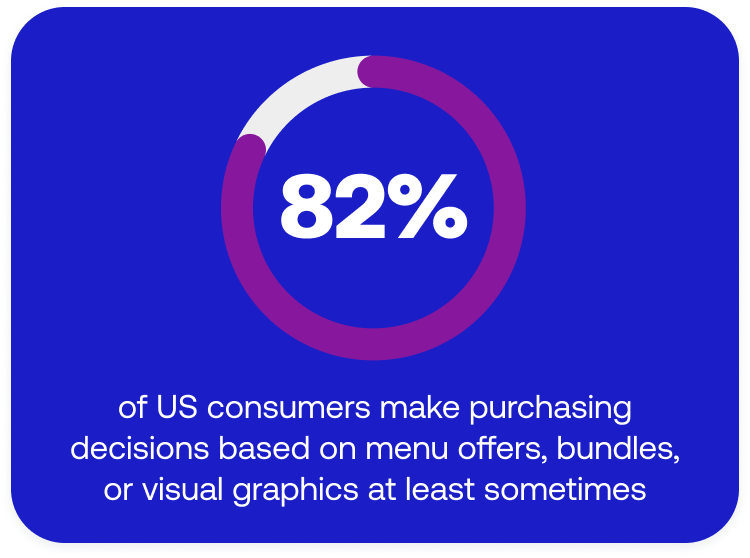
Eighty-two percent of US consumers say they make purchasing decisions based on menu offers, suggested item bundles, visual graphics or loyalty offers at least sometimes. The appetite to be influenced is there, but the question is whether your menu is set up to do that work.
Well-configured digital signage can be your best leverage tool for guiding the ordering decision. When I was on the operator side, we knew the minute we changed menu boards to highlight a specific bundle or LTO, check sizes went up. No question about it, the visual hierarchy of what you surface first determines what customers consider.
The advantage of digital over static is iteration speed. You can test what gets attention, move things around, highlight margin-driving items during peak hours and adjust in real time. Operators who are still treating their menu boards as a set-and-forget asset are leaving that lever untouched.
What to do: Audit what your menu board is leading with right now. Is the first thing a customer sees your highest margin item, your current LTO or a suggested bundle? If not, that’s a configuration decision you can reassess.
What role do kiosks play in reducing order anxiety and increasing customization?
Kiosks consistently show up in the research as a lower stress ordering channel, and that has a direct connection to check size. When customers aren’t feeling the time pressure of a line behind them, they explore. They notice the new seasoning options. They add the extra sauce. They upgrade.
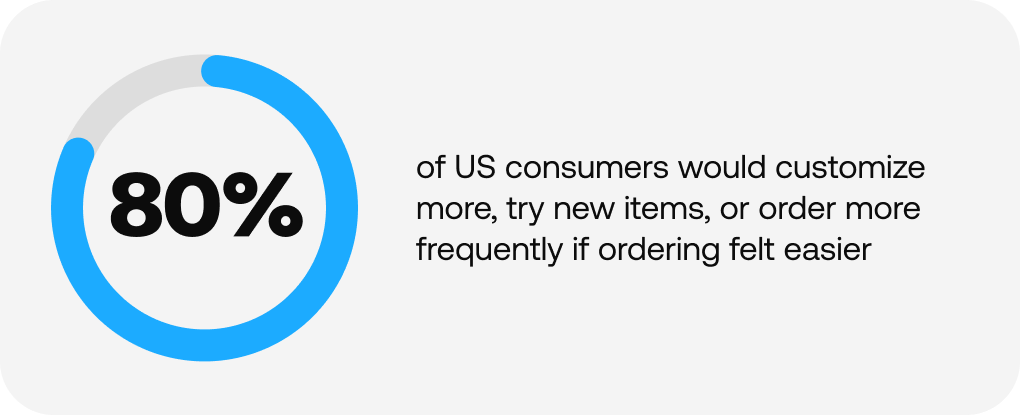
The research shows that if ordering felt easier across the board, 80% of consumers would do something different — customize more, try new items or order more frequently. Only 20% would change nothing. A kiosk gives customers the time and privacy to make that decision without an audience. For operators, that translates directly to higher average tickets and better LTO adoption — but only if the kiosk UX is actually guiding them through the options rather than replicating the same confusing menu experience on a touchscreen.
What to do: Look at your customization attachment rate at kiosk vs. counter. If a kiosk isn’t outperforming the counter on add-ons and upgrades, the interface needs work.
What is the most overlooked factor in the QSR ordering experience?
This answer might surprise you, but the most overlooked factor from my experience is the employee.
Every friction point a customer feels at the counter is also friction the order taker is navigating. A system that locks employees into a rigid sequential flow (e.g., finish this section before moving on) is a major technology limitation. It puts the customer’s natural conversational ordering style in direct conflict with how the POS works, which means the employee ends up managing that gap and diverting attention away from the guest.
When the right tech handles complexity by letting employees take orders the way customers actually speak, flagging what’s been captured and prompting what’s still needed, the whole experience runs differently. Less friction for the employee means more attention on the customer.
What to do: Ask your team where the POS slows them down or forces them to interrupt a customer mid-order. Those friction points are worth reassessing with your provider.
How do QSR operators use the ordering experience to increase average check size?
The operators who close the gap between what customers want to order and what they actually end up ordering treat the ordering moment as a design challenge. Menu visibility, channel configuration, kiosk UX and POS flow are all levers that don’t require a menu overhaul or a price change.
Your menu didn’t create this problem, but your ordering experience sure might have.
Curious what 2,000 customers had to say about order anxiety? The full data is here.